Integration Procedure
To create a configuration file for a new product, start by adding that product to Jeedom.
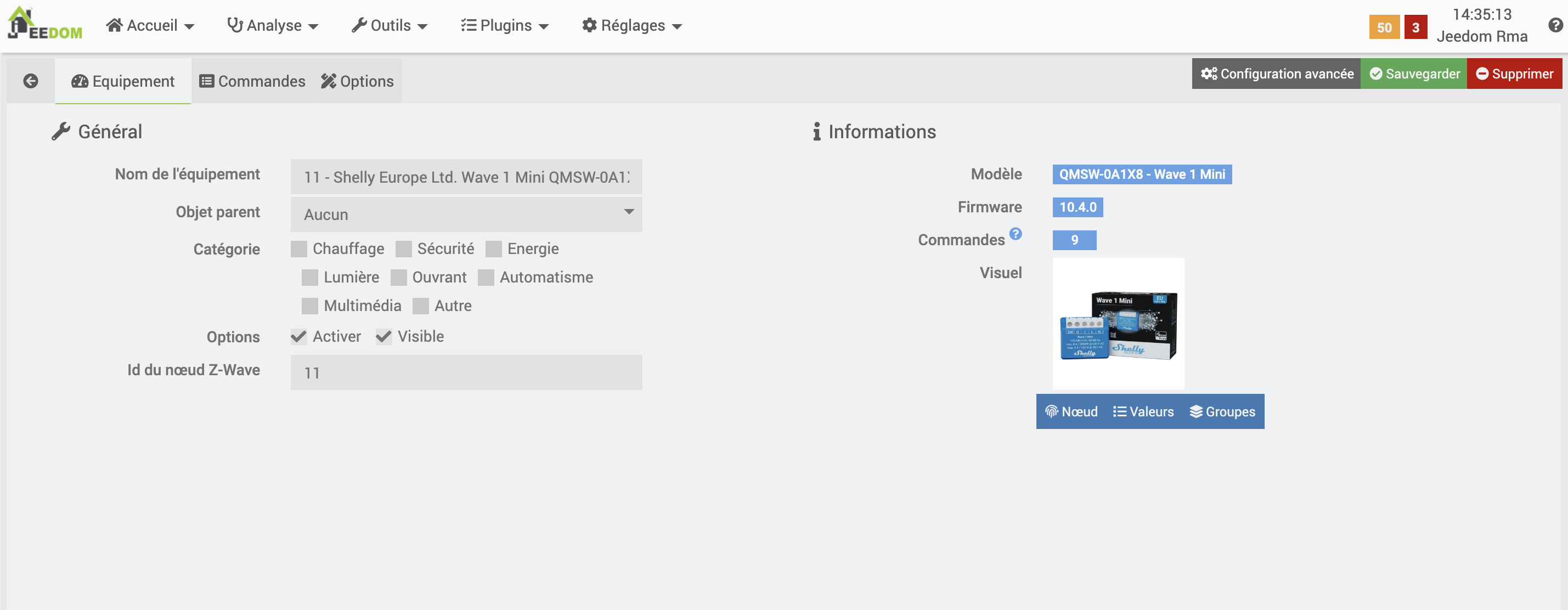
Once you’re on the product page, click the “Node” button to bring up this modal window:
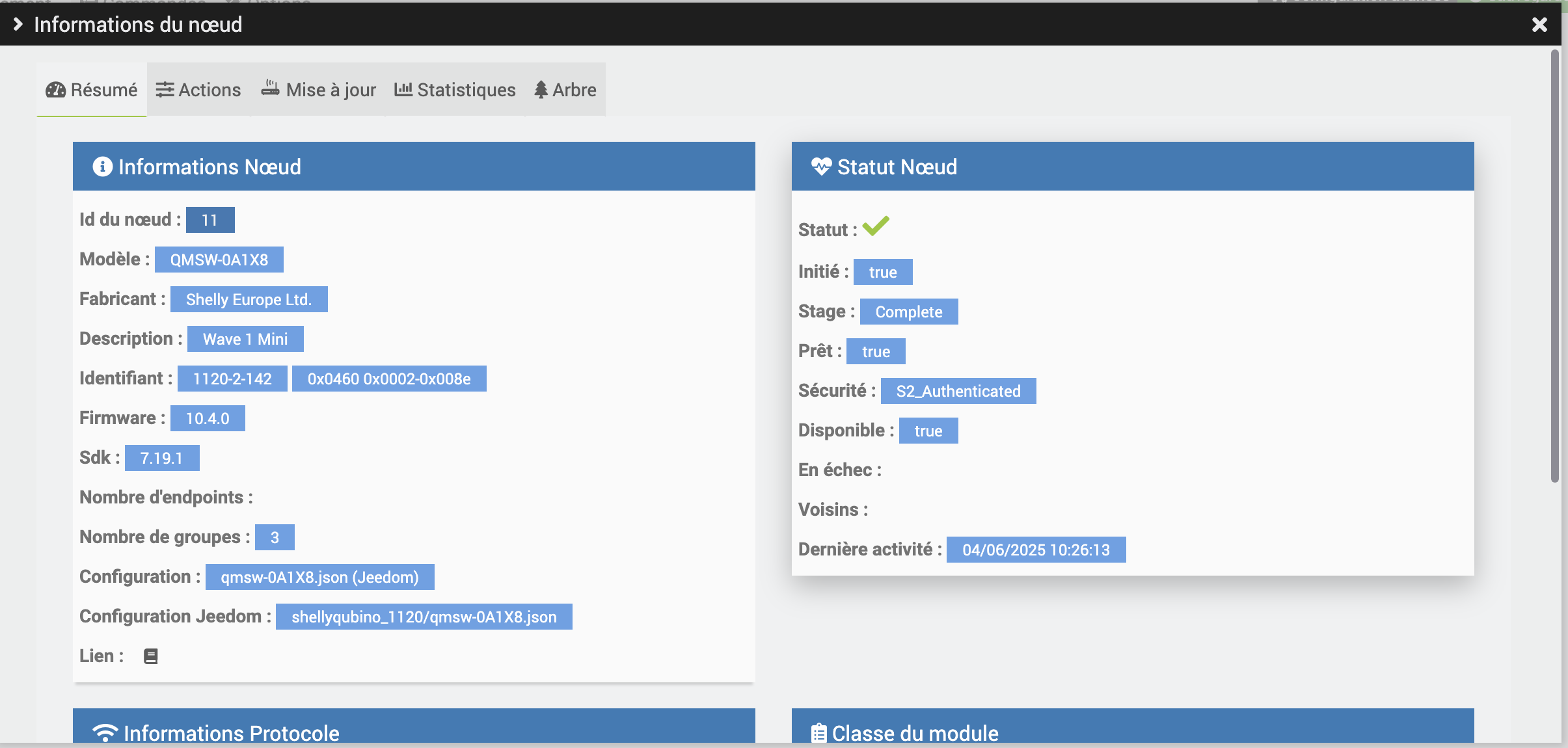
The important information to retrieve is:
- ID: XXX - XXX - XXX
- Configuration: XXX.json
The Configuration field specifies the name to give the configuration file.
Example: qmsw-0A1X8.json
The ID field is used to determine:
- the folder in which to create the file;
- the version to specify in the configuration.
The first digit of the ID corresponds to the folder.
Example: with 1120, you need to create the file qmsw-0A1X8.json in the folder shellyqubino_1120.
⚠️ Note: The folder name does not always match the manufacturer’s name. You must use the number! Example: Wintop has the number
151, which refers to the folderschlage_151.
The second and third digits of the identifier correspond to the version.
Example: Version "2" : [ "142" ]
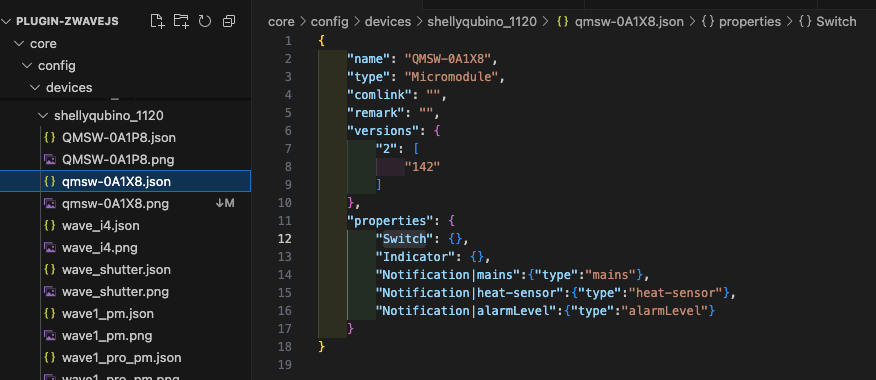
- For the field
"name", use the product model. Example:"QMSW-0A1X8" - For the field
"type", specify the product type: Micromodule, Relay, Opening Type, etc.
Creating Commands
Automatic command creation is based on the field "properties".
Start by clicking the “Values” button, which will open a modal similar to this one:
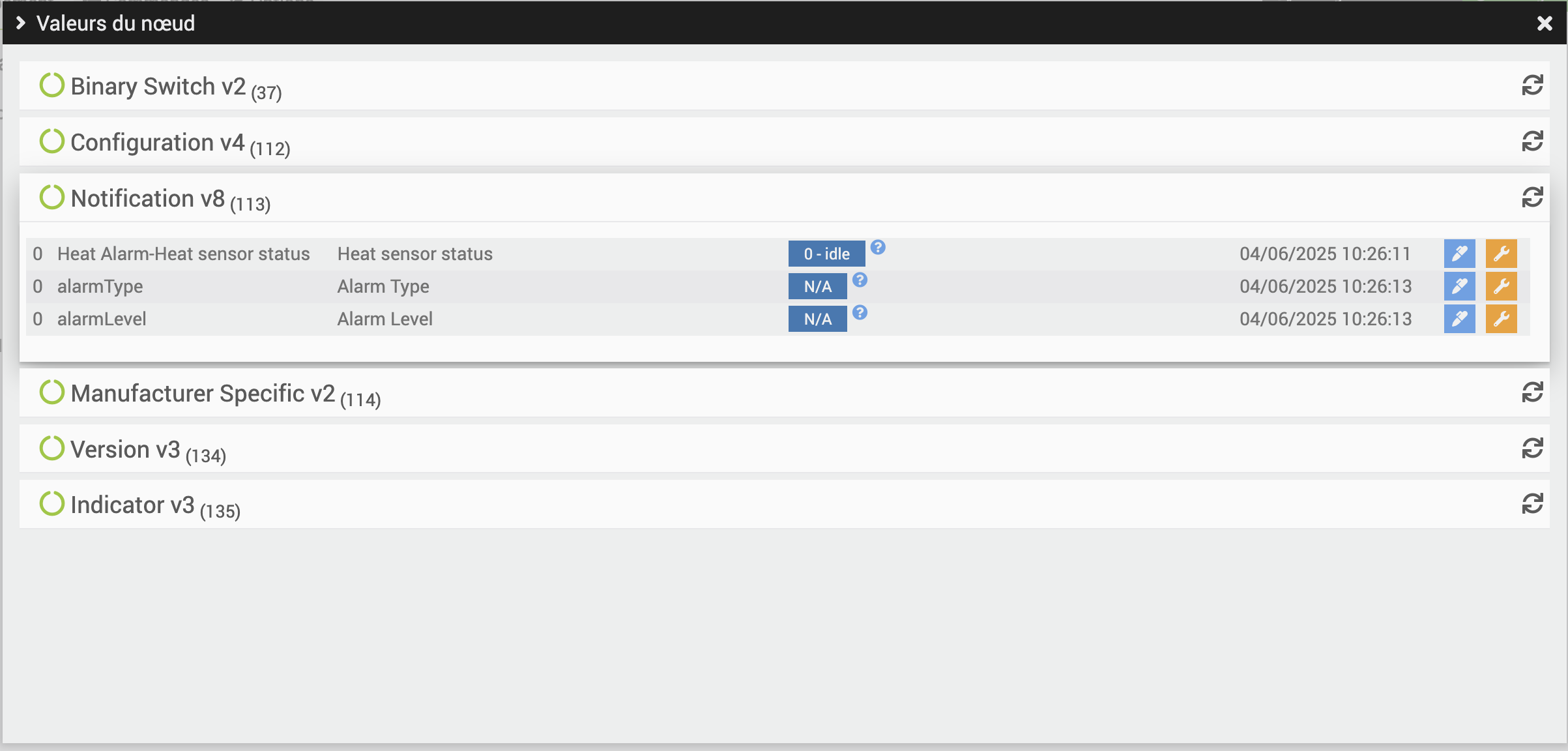
The “Manufacturer Specific”, “Configuration”, and “Version” fields can be ignored.
The relevant data are:
- command names
- their class
In the case of notifications, for example, we want to create commands for heat alarms, as well as specify the level and type of alarm.
To do this, refer to the file Notification.json in the folder properties.
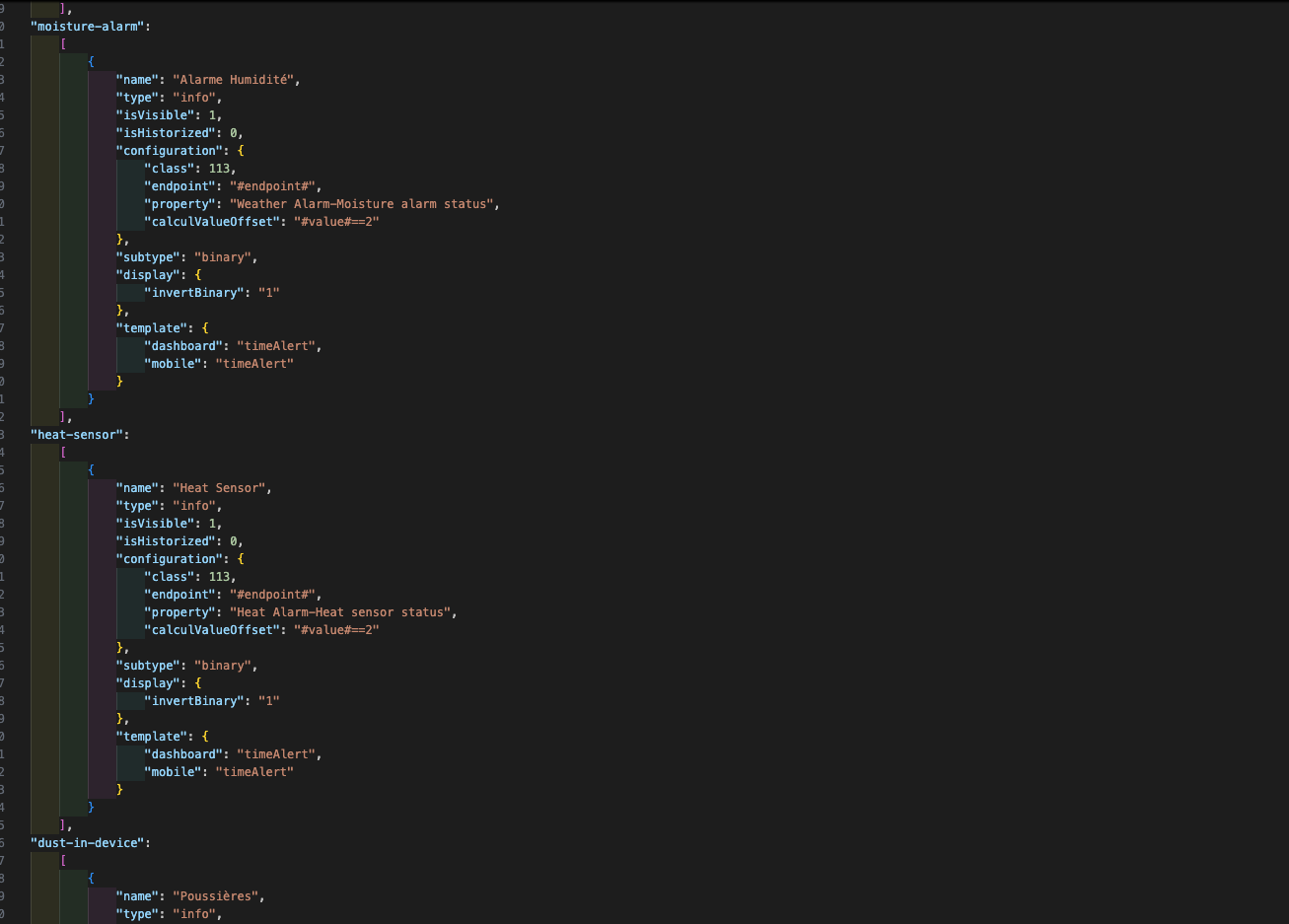
Once you’re in this file, identify the type of property to use.
Example: To create an alarm command "heat-sensor", add the following to the configuration file:
"Notification|heat-sensor": {
  "type": "heat-sensor"
}